Home → Dashboards → Call Analysis
Achilles Analytics dashboard

Call analytics in CRM: who loses hot clients

Inbound, missed, outbound and no-answers — for each rep and by day. The AI agent raises an alert when missed calls exceed the norm: a missed call is a lead you already paid for.

All calls from the CRM · Norms and alerts · By rep

Call Analysis: inbound, missed, outbound and no-answers with AI insights

How it works

30-minute setup — then it runs itself

01
30-minute setup
Via the official API, no CRM rebuild. Time zone and fields are detected automatically; a specialist sets up the dashboards.
02
Refresh every 30 minutes
Fresh leads and calls in the dashboard every 30 minutes — no exports, no Excel.
03
The AI agent Achilles analyzes
Highlights anomalies and writes insights in words: alerts, warnings, wins.
04
You make decisions
10 minutes in the morning instead of three hours with spreadsheets on Friday.

Features

What the manager sees

Inbound and missed
How many calls came in and how many were missed — by team and by rep, with a norm (for example, no more than 10%).
Outbound and no-answers
Outbound activity and no-answer rate: 28% no-answer is a question about the list or the call timing.
Named culprits
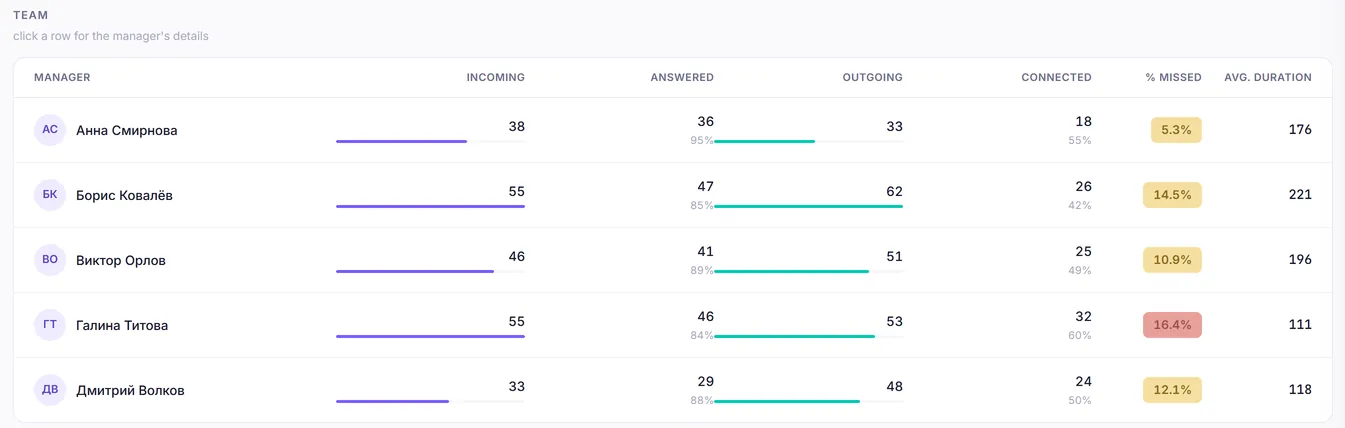
“G. Titova: 9 missed, 16.4%” — AI names exactly who loses inbound calls.
Trend by day
You see the days and hours when the team systematically does not pick up.
Call duration
Real conversations and short calls separately: 30-second “chats” do not masquerade as work.
Paired with call quality
Together with the “AI call quality” module, every conversation is also scored against a checklist.
Any phone system via the CRM
We pull calls from the CRM — no need to connect the phone system separately. Direct UIS, Sipuni and Mango connections are an extra option.


Interface

This is how it looks in Achilles

Key metrics: inbound, % missed, outbound and % no-answer against targets
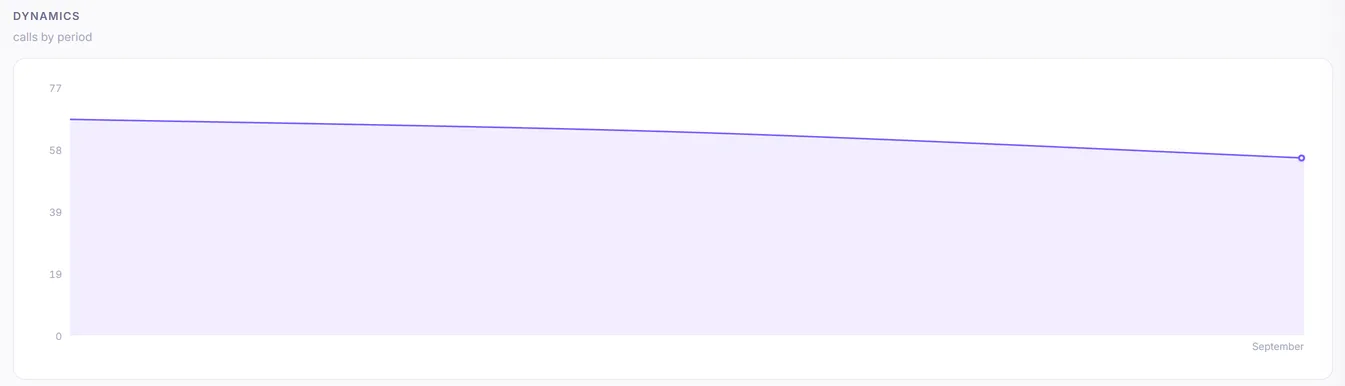
Call trend by month
Call trend by month
Team: inbound, answered, outbound and connected calls for each rep, % missed and average duration
1 / 3
Manager takeaway
“Miller misses 40% of calls on Friday after 4pm — have a talk”

FAQ

Frequently asked questions

Which phone systems are supported?
Any phone system connected to your CRM: we pull calls from the CRM, so there is no need to connect the phone system separately. amoCRM and Kommo — any phone system that logs calls into the lead or contact card; Bitrix24 — calls from Bitrix24 telephony statistics. UIS (CoMagic), Sipuni and Mango can also be connected directly.
What counts as a missed call?
An inbound call with no conversation. Norms (for example, no more than 10% missed) are configurable.
Can I listen to the calls themselves?
Recordings are stored in the CRM. The “AI call quality” module transcribes and scores every conversation automatically.

Try it on your data

7 days free — no card

30-minute setup. Request a demo — we will show Achilles on your numbers.

Get a demo on your data → Sign up yourself